CRÉEZ DES DEVIS GRATUITS EN LIGNE AVEC LE GÉNÉRATEUR DE DEVIS DE BILLDU
Créez et envoyez des devis gratuits à vos clients en utilisant nos modèles de devis. Gagnez de nouvelles affaires grâce aux devis professionnels créés avec le générateur de devis gratuit de Billdu. Utilisez le générateur de devis en ligne ci-dessous ou découvrez les avantages de l'envoi de devis électroniques et de la création de devis gratuits grâce à notre logiciel en ligne.
HOW TO MAKE A CUSTOM ESTIMATE USING BILLDU ONLINE ESTIMATE GENERATOR
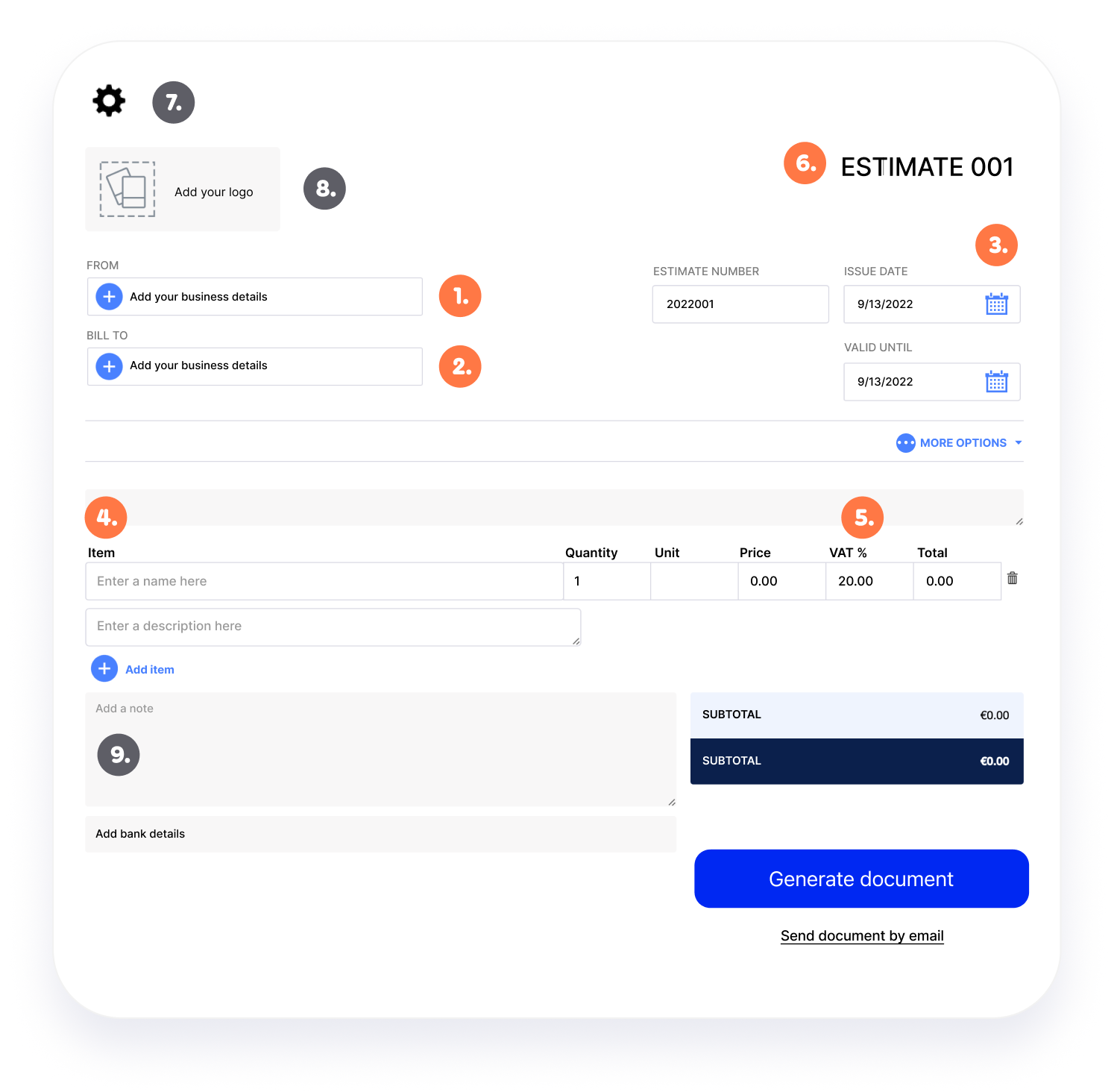
Creating a custom estimate with Billdu takes about a minute. Fill in the fields below - your business and client details, the issue date and how long the estimate stays valid, your itemized line items and prices,
and the tax rate. Then personalise the estimate with your logo and a template, and email it to your client or download it as a PDF, completely free.
Required:
1. Your Business Details: Show who’s issuing the estimate: business name, address and contact info.
2. Client's Business Details: Identify who the estimate is for.
3. Issue Date & Delivery date: State when the estimate was issued and how long it’s valid, so clients know the deadline to accept.
4. Itemized line items & prices: Break down each product or service, quantity and price, including labor, materials and any permits.
5. Tax Rate: Add any applicable tax so the total is clear and accurate.
6. Estimate Number: A unique number that helps you and your client catalog and track estimates.
Optional:
7. Template & Color: Pick a template and brand color your clients will recognise.
8. Logo: Add your company logo to boost professionalism and brand recognition.
9. Note: Add any notes about the products, services, terms or the estimate itself.
TEMPLATES YOU CAN CREATE WITH ONLINE FREE ESTIMATE GENERATOR
Tired of plain black-on-white estimates? Billdu’s free estimate generator lets you create professional, branded estimates that impress clients and help you win work. Pick a ready-made estimate template, then customise the color and layout right inside the tool - no design skills needed. Prefer to start from a file? Download a free estimate template in Word, Excel or Google Sheets.
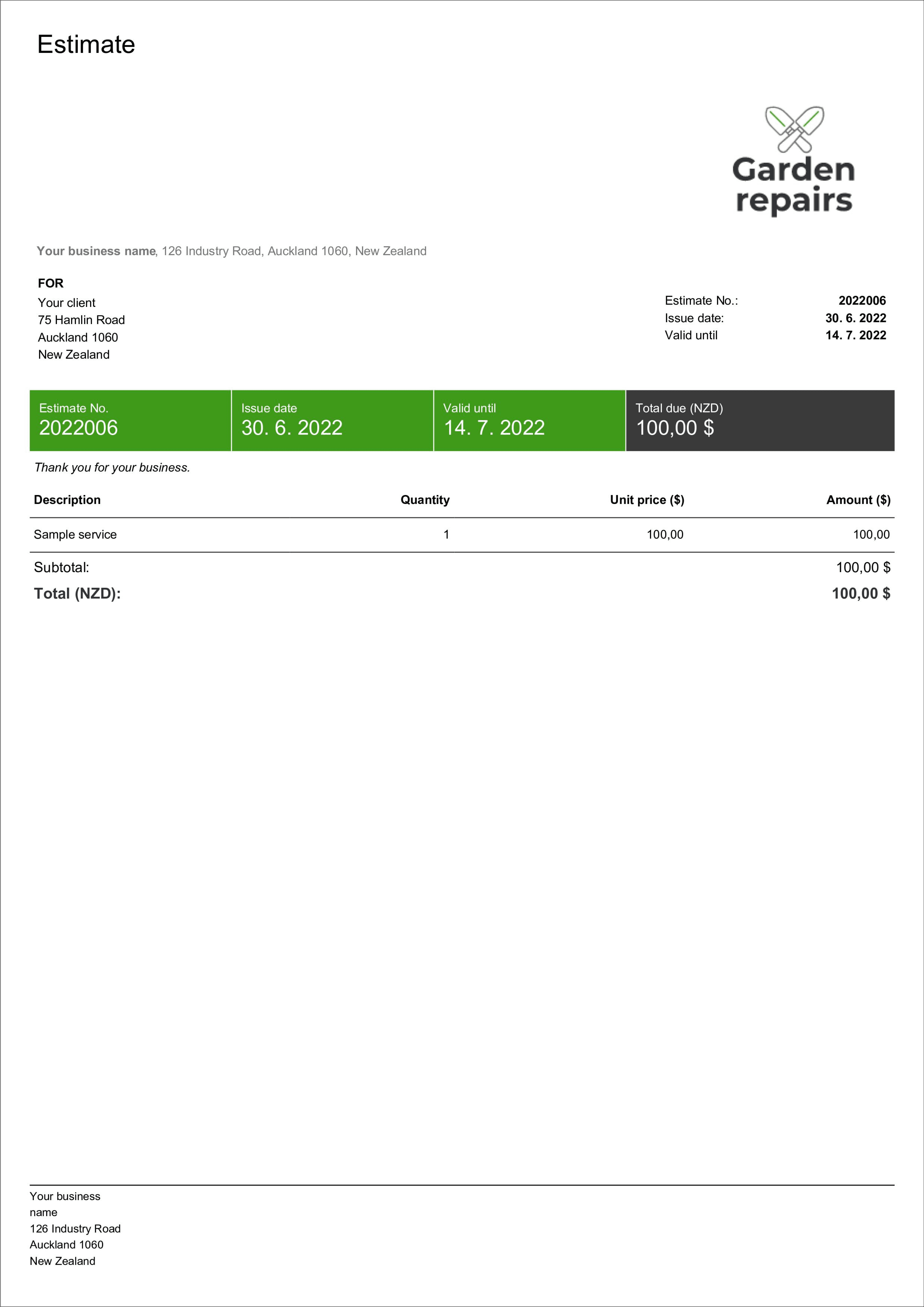
STRIPE TEMPLATE
A clean, modern estimate template. Create it online, or download the example in Word, Excel or Google Sheet
CREATE AN ESTIMATE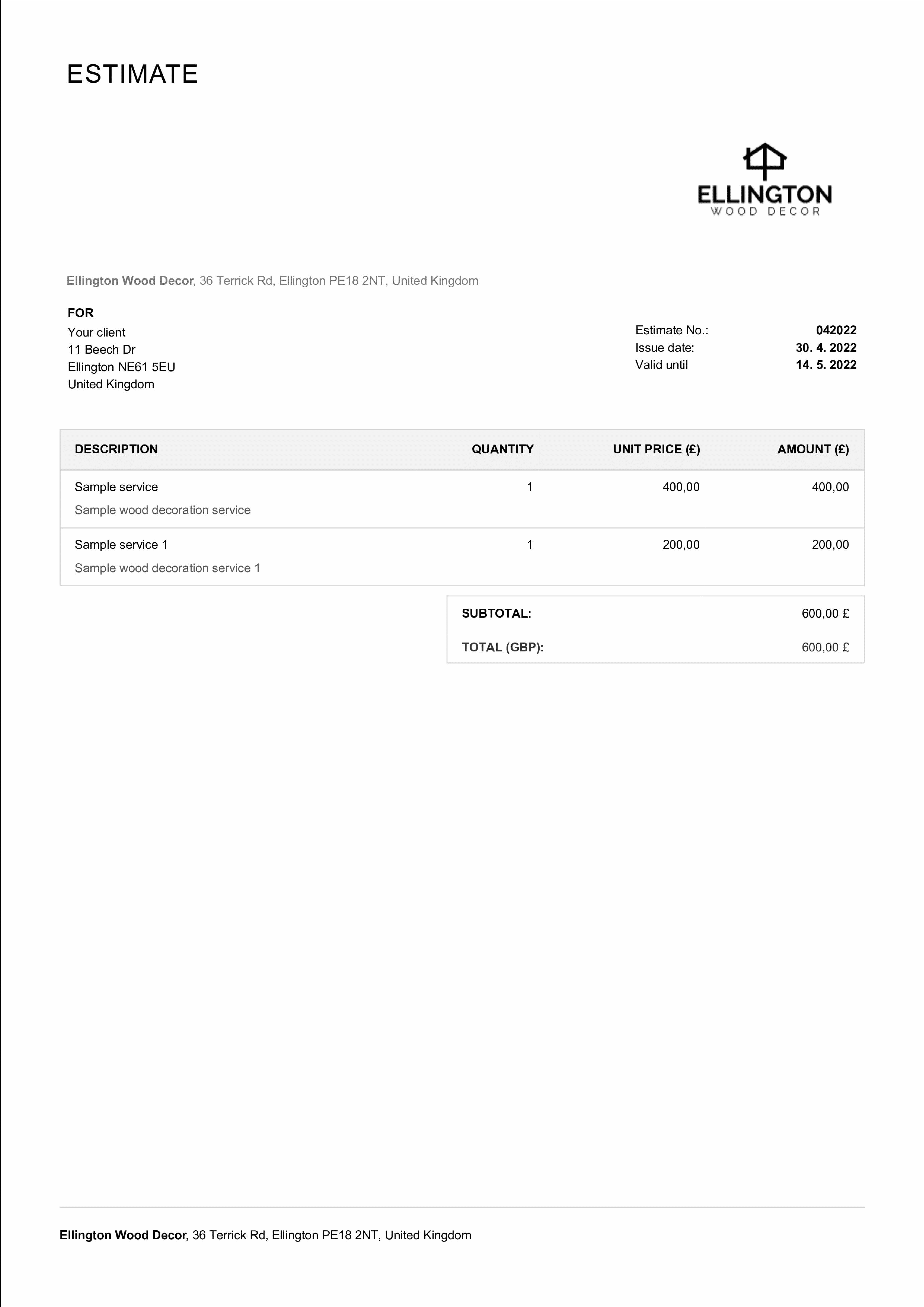
CLASSIC TEMPLATE
A timeless, professional estimate template. Create it online, or download the example in Word, Excel or Google Sheet
CREATE AN ESTIMATE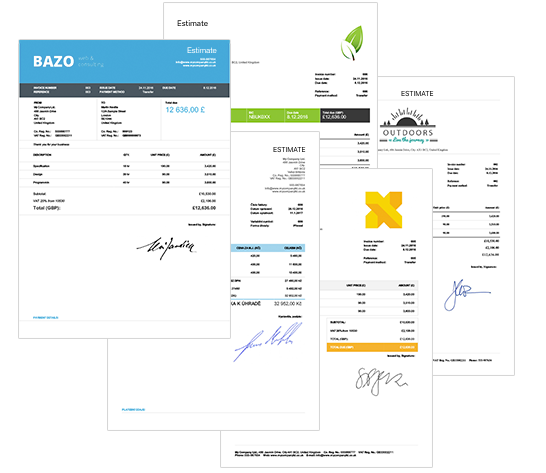
BENEFITS OF USING AN ESTIMATE GENERATOR
A good estimate does more than list a price - it helps you look professional, win the job and get to
invoicing faster. Billdu’s estimate generator gives you:
-
1. Faster, more professional quotes - Create accurate, branded estimates in minutes and respond to new leads before your competitors do.
-
2. One-click estimate-to-invoice - When a client accepts, convert the estimate into an invoice in a single click - no re-typing, nothing lost.
-
Estimate tracking & notifications - See which estimates are sent, viewed, accepted or expired, and get notified the moment a client opens or approves yours, so you follow up at the right time.
-
4. Consistent branding - Add your logo, colors and template so every estimate reinforces your brand and builds trust.
FEATURES YOU MUST INCLUDE ON YOUR ESTIMATE TEMPLATE
A clear, complete estimate helps clients say yes and protects you if the scope changes. Whatever you’re quoting, make sure your estimate includes these essentials:
-
Business & client details - Your business name, address and contact details (including your tax or company registration number where required), plus your client’s details.
-
Itemized price breakdown - List every cost - labor, materials, inspections or permits — so the estimate reflects the real project total as closely as possible.
-
Project scope & additional costs - Note what’s included and any materials to be ordered, with expected order or delivery dates, so clients understand duration and cost.
-
Validity & terms - State how long the estimate is valid and any terms and conditions, so both sides are clear before work begins.
-
Payment & acceptance - Show accepted payment methods, any deposit required and how the client can approve the estimate to get started.
FREQUENTLY ASKED QUESTIONS ABOUT PROFORMA INVOICE
Use an estimate when a client wants a general price for your products or services before committing, or when the exact scope of the job isn’t final yet. It gives a realistic, good-faith figure that can be adjusted if the scope changes.
An estimate is a document you give a client before a purchase that approximates the cost of the goods or services. Estimates aren’t final and can change - they’re a preliminary calculation of costs, timelines and scope that helps clients decide and budget.
An estimate is an approximate, good-faith figure that can change if the scope or conditions change. A quote is a fixed price the client can rely on for a set period. Use an estimate when the scope is uncertain and a quote once you can commit to the number.
An estimate is sent before work begins to show expected prices and scope; an invoice is sent afterwards to request payment and is legally binding. Once your estimate is accepted, you can turn it into an invoice in one click.
Yes, once you finish creating your estimate via our Estimate Creator, you can quickly download it in the PDF format with a single click.
Yes. When a client accepts your estimate, Billdu lets you convert it into an invoice in a single click, so nothing has to be re-entered.
No. You can create an estimate for free with no registration. You’ll only add your email to download or send the finished estimate as a PDF. Create a free account if you’d like to save your business and client details and reuse them next time.